
Bethesda and Nvidia's DLSS 5: What It Means for Gamers and Developers
Bethesda addresses concerns about Nvidia's DLSS 5 AI filter, ensuring it remains under developers' control and optional for players. Discover how this impacts the tech world and how Toolify tools can streamline your productivity.
Introduction: What This Means for Users
The gaming and tech community is buzzing after Bethesda's recent announcement addressing concerns around Nvidia's new DLSS 5 AI filter, a feature that uses artificial intelligence to enhance graphical fidelity in gaming. As debates around the technology grow, Bethesda has reassured users that the feature will remain fully under artists' control and optional for players. This move could set a significant precedent for how AI is integrated into creative workflows.

Beyond gaming, this announcement serves as a reminder of the potential and challenges AI tools pose across industries. For users of Toolify Studio, which hosts over 283+ functional online tools, including AI-powered options like the AI Writer and AI Chatbot, this development highlights the evolving capabilities of AI in creative and technical applications.
Understanding the Technology
Nvidia's DLSS 5 is the latest evolution of Deep Learning Super Sampling (DLSS) technology, a groundbreaking tool that leverages AI to upscale lower-resolution images in real-time, delivering higher visual quality without sacrificing performance. This is a game-changer for developers and gamers alike, but it doesn't come without its share of controversies.
Breaking Down DLSS 5 and Its Capabilities
- AI-Powered Upscaling: DLSS 5 uses machine learning to predict and fill in visual details, allowing games to run at lower resolutions while appearing polished.
- Dynamic Lighting Adjustments: One of the most discussed aspects is its AI-driven lighting filters, capable of altering a game's aesthetic.
While the technology is undoubtedly impressive, critiques have focused on the potential for AI to override artistic intent, sparking concerns among developers and artists.
Bethesda's Take on DLSS 5
In response to these concerns, Bethesda has emphasized that the AI filter's effects will always remain optional and under the direct control of their development team. As one representative noted, "This is a very early look, and our art teams will be further adjusting the lighting and final effect." This statement underscores the importance of giving creators the ability to override automated processes to maintain creative integrity.
Impact on Developers and Tools
The integration of AI into tools like Nvidia’s DLSS 5 raises various considerations for developers, especially regarding creative autonomy and user experience. Companies like Toolify Studio, which prioritize user-friendly and customizable tools, can serve as a valuable resource for navigating this evolving landscape.
For Individual Developers
Independent developers often rely on external tools to enhance their projects. Nvidia's DLSS 5 could potentially:
- Reduce workload by automating repetitive tasks like texture upscaling.
- Enhance visual quality for smaller teams with limited resources.
However, developers using AI must balance automation with creative control. Platforms like Toolify Studio provide tools such as the Code Generator, enabling devs to write efficient, clean code while retaining customization capabilities.
For Teams and Organizations
Larger teams and companies may approach AI differently, relying on its scalability to:
- Streamline workflows, especially in resource-heavy projects.
- Maintain consistency across large-scale games or applications.
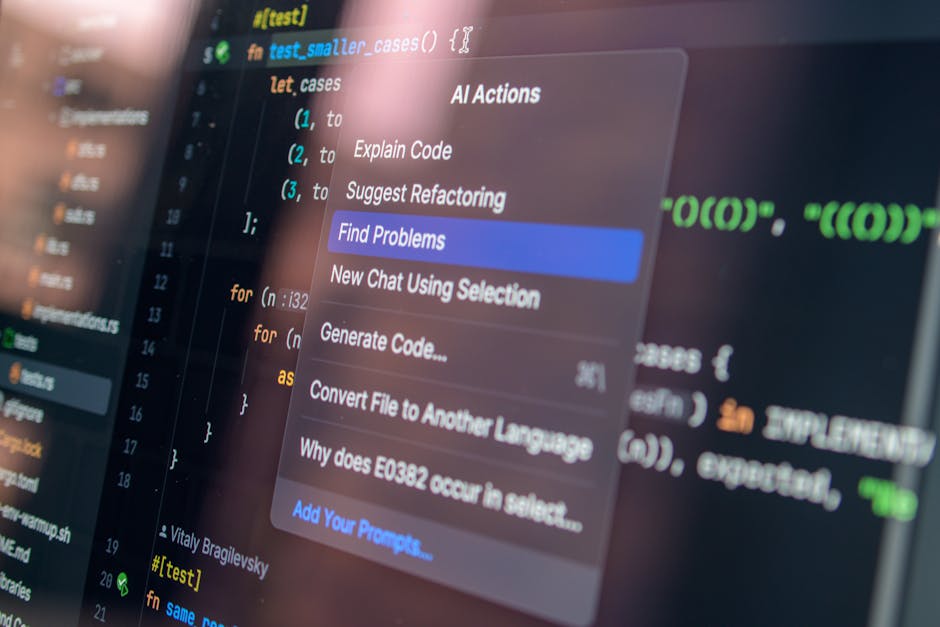
However, the complexity of deploying AI-based filters like DLSS 5 requires a deep understanding of the technology, making versatile platforms like Toolify Studio invaluable for managing teams and generating optimized workflows.
Practical Applications
The announcement by Bethesda and Nvidia is more than just a gaming story. It exemplifies how AI transforms industries, offering tools that improve efficiency while raising ethical and creative questions. Here are a few practical examples:
For Game Developers:
- Use DLSS 5 to achieve high-definition visuals without overloading hardware.
- Utilize AI-driven tools like Toolify's AI Writer to draft in-game dialogues and world-building narratives efficiently.
For Digital Artists:
- Leverage AI filters to experiment with lighting and effects while keeping manual control over the final design.
For Content Creators:
- Implement AI-powered enhancements to enrich visual content, ensuring faster rendering and improved quality.
How Toolify Tools Help
For creative professionals looking to maximize productivity, Toolify Studio offers a variety of tools that complement AI-driven solutions like DLSS 5:
- AI Writer: Perfect for creating in-depth lore, blog posts, or even game scripts.
- AI Chatbot: Build interactive experiences or user-friendly support systems for your projects.
- Code Generator: Simplifies coding challenges, allowing devs to focus on creative problem-solving.
Tools That Can Help
Adopting new AI technologies like Nvidia's DLSS 5 can seem daunting, but the right tools can make the transition seamless. Check out these powerful options on Toolify Studio:
- AI Writer: Generate content efficiently, from blogs to in-game text.
- AI Chatbot: Chat with an AI assistant for guidance and support.
- Code Generator: Write faster, cleaner code for your tech projects.
Conclusion and Next Steps
The integration of Nvidia's DLSS 5 AI filter into Bethesda games highlights the growing importance of AI tools across creative fields. By emphasizing artist control and user choice, Bethesda sets a precedent for ethical AI adoption in an industry that thrives on creativity.
For developers, gamers, and creative professionals alike, this news reinforces the importance of keeping up with emerging tools and technologies. Platforms like Toolify Studio make this easier, offering a suite of over 283 tools designed to improve productivity and creativity.
Take Action Today: Explore Toolify Studio to discover how our tools can help you adapt to the AI-powered future!

🔧Try These Related Tools
Discover More Functional Tools
Explore our collection of 382+ working online tools. No signup required, instant results.
Browse All Tools→📚Related Articles

Agile Robots Partners with Google DeepMind: Tech Impact
Discover how Agile Robots' collaboration with Google DeepMind is set to revolutionize robotics using AI foundation models, and explore how Toolify Tools can assist developers in leveraging this tech wave.
Air Canada CEO Summoned Over English-Only Video: Tech Analysis
Air Canada CEO faces scrutiny for an English-only condolence video. Discover how technology, AI tools, and productivity solutions from Toolify Studio can help tackle similar challenges.

RAKEZ Boosts Business Sales Strategies With Tech Innovations
RAKEZ is empowering businesses with insights into sales strategies while highlighting how tools like AI Writer and Code Generator from Toolify Studio can enhance productivity and innovation.